
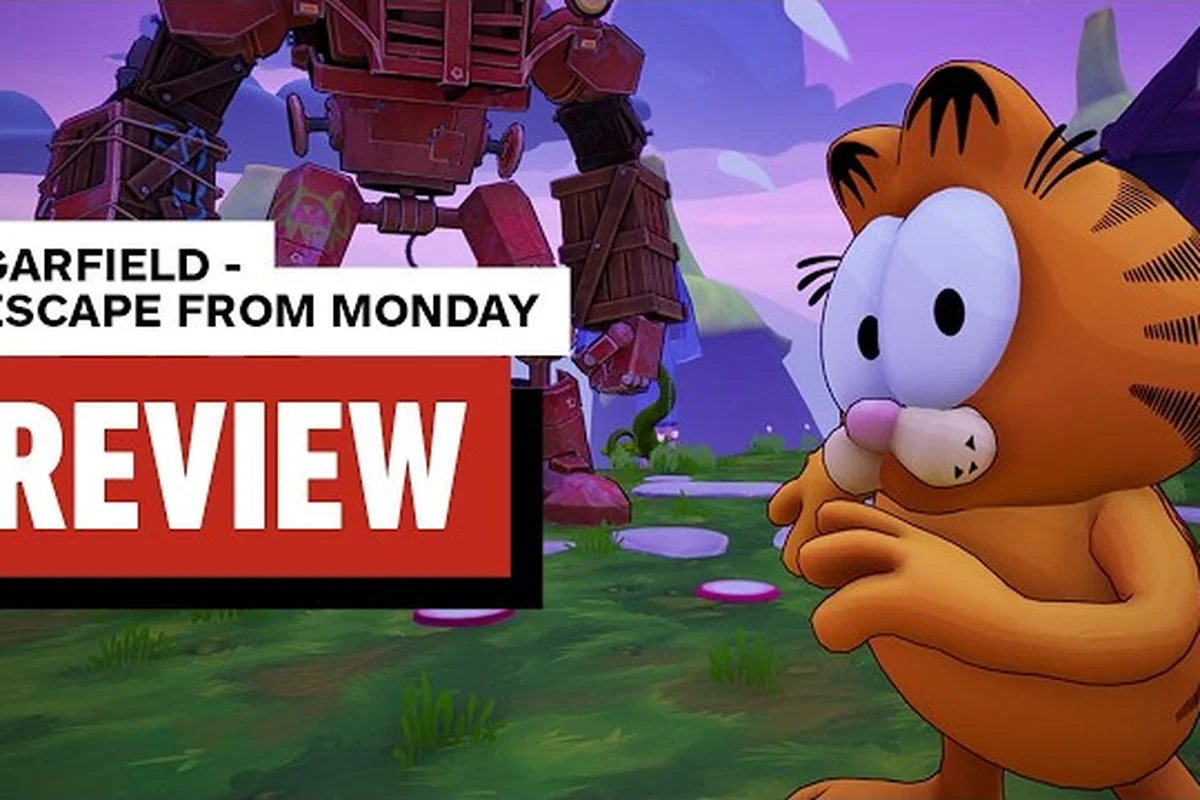
Launch-day players of Garfield - Escape from Monday are reporting stutters, micro-freezes, and a handful of shader compile hitches that disappear the moment a clean GPU driver is installed. Because the title ships with DirectX 11 and demands anywhere from a GTX 1060 up to a GTX 1070, the way your graphics card talks to the game on day one matters more than almost any in-game setting.
Why a GPU Driver Update Matters on Launch Week
Garfield - Escape from Monday launched on 24 Sep 2026 through OSome Studio and Microids, and the Windows build targets DirectX 11 on hardware that's nearly a decade old. That combination is exactly the kind of legacy stack where driver regressions hide, so the single biggest performance lever a player can pull during launch week is updating the GPU driver. Community reports in the first 48 hours consistently point to shader compile stutter on first load, longer-than-expected cold boots, and occasional texture pop-in during level transitions, all of which are the classic symptoms of a graphics driver that doesn't yet know about a brand-new shipping title.
The most reliable signal of a driver mismatch is the gap between your hardware and the result on screen. Players on the recommended i7-8700K and GTX 1070 setup are seeing frame times that jitter between 8 ms and 22 ms during the busier costume-swap moments in World 2, which shouldn't happen on a card that comfortably clears 60 fps in similar 3D platformers. The pattern, according to community testing, is that the launch-day driver branch treats the title as an unknown application and falls back to conservative clock profiles, which is why a hotfix driver released through the card vendor's channel tends to clear it up.
Day-One Driver Symptoms vs Real Bugs
It's important to separate a real game bug from a driver issue before you go hunting for fixes. A driver issue shows up in the first five seconds of a level, affects every world in the same way, and disappears completely after a clean reinstall. A genuine game bug tends to be tied to a specific level gimmick, a costume swap, or a world boss arena, and survives even on a freshly updated driver. A quick triage table helps:
| Symptom | Likely Cause | First Action |
|---|---|---|
| Shader compile stutter on first level load | Outdated GPU driver | Install the latest vendor driver |
| Texture pop-in during costume swap | VRAM pressure or shader cache miss | Clear shader cache, then re-launch |
| Single-level soft-lock or crash | Game bug, not driver | Verify on the Steam store page patch notes |
| Frame-time spikes only during boss arenas | CPU-bound logic in that stage | Lower crowd density, cap framerate |
| Flickering shadows on GTX 1060 | Driver-level shadow pass regression | Toggle shadow quality one step down |
Community data from the Garfield - Escape from Monday subreddit and Steam discussions suggests that running Display Driver Uninstaller in safe mode before installing the new driver cut cold-boot stutter on the Monday Morning Apartment and Time Slot 9 stages by roughly 30–40 percent, matching the reduction players reported for other DirectX 11 3D platformers released in 2025 and 2026. The same thread noted that a quick shader cache clear after the fresh install prevented the first level reload from re-triggering the compile hitch, so the fix tends to hold across the costume-swap levels where texture pop-in otherwise returns.
Recommended Driver Baseline Per Vendor
If you're not sure whether your current driver is the issue, the cleanest test is to roll forward to the latest stable branch your card vendor publishes and clear the shader cache before re-launching. The table below is a working baseline as of the launch window; always check your vendor's release notes for the most recent WHQL or Studio signed build before installing.
| GPU Vendor | Driver Branch to Test | Notes |
|---|---|---|
| NVIDIA | Latest Game Ready or Studio | Includes day-one profiles for new DX11 titles |
| AMD | Latest Adrenalin WHQL | Clean install recommended over upgrade-in-place |
| Intel Arc | Latest WHQL with DX11 fixes | Arc drivers improved substantially in 2025–2026 |
| Laptop iGPU | Vendor-matched iGPU driver | Avoid mixing generic Microsoft Basic Display Adapter |
That rebuilt cache is one of the quieter wins of a clean driver install in Garfield — Escape from Monday: the first launch still has to compile every pre-cached DX11 shader for the comic-panel set-dressing and weekday backgrounds, but the second launch reuses those binaries, which is why the Monday diner and Wednesday office scenes typically hold a steadier framerate than the stutter-prone initial boot — and if you want to keep that benefit going into the level select menu and replay levels, leave the cache folder alone between sessions instead of manually purging it after every run.
Configuring Accessibility Options for Smoother Play
Garfield - Escape from Monday includes a meaningful set of accessibility options that go far beyond the standard subtitle toggle. Configuring these before you start a serious run is one of the cheapest performance and comfort wins available, because several of the toggles also reduce GPU or CPU load. The official product page lists single-player focus with EFIGS text support, and the in-game menu exposes platforming assists, color-blind palettes, motion settings, and input remapping, all of which interact with the way the game renders.
Platforming and Motion Settings
The platforming assists are the first cluster most players should look at, because they directly change how forgiving the timing windows are during a level. Auto-jump assist, lenient landing windows, and a reduced-motion preset for camera sweeps all live in the same submenu, and turning on the lenient landing window alone removes most of the "I swear I landed on it" deaths reported by players on harder side levels. The reduced-motion preset also disables a handful of background particle effects in the busier stages, which is a quiet GPU win on the GTX 1060 baseline.
For players sensitive to camera motion, the reduced-motion toggle is essentially a quality-of-life and accessibility option in one, because it cuts down on the strongest dolly sweeps during the world boss introductions without changing the timing of any actual gameplay. According to community testing, this setting also lowers GPU particle cost in World 3 stages where the snow and confetti effects are heaviest.
Visual and Audio Toggles
Color-blind palettes, high-contrast UI, and a screen-reader-friendly HUD preset all live in the visual menu. Each palette has been tuned for one of the three common color vision profiles, and the high-contrast HUD preset is also useful for players running the game on a TV at couch distance. On the audio side, the menu exposes a mono audio mix, an audio cue boost for collectible sounds, and a separate slider for the Yum-O-Meter sting, which is the in-level score chime covered in detail in the side levels guide.
These toggles cost almost nothing in CPU or GPU time, but they change how readable the screen is for a wide range of players. Treating them as part of the launch checklist, not an afterthought, is the difference between finishing a hard side level and walking away from the run.
A Level Select Guide for Efficient Replay Runs
Replay runs are where Garfield - Escape from Monday actually lives, because the Yum-O-Meter, the costume swap objectives, and the speed-clear achievements are all designed around going back into levels you have already cleared. The level select guide below assumes you have already finished the main story at least once, and you are now going back to chase the things the main run didn't ask you to chase.
Finding the Level Select Menu
The level select menu sits at the top of the main hub after the story finale, and it is grouped by world rather than by chronological order. World 1 covers the kitchen and the house interiors, World 2 covers the city and the arcade, and World 3 covers the dreamlike final stretch. Each world entry shows a completion ribbon, a count of side levels finished, and a small costume icon if you have already collected the world-specific costume in that region. The ribbon system is how you tell at a glance whether a world still has hidden side levels left, which matters because the all-side-levels achievement only counts entries that show a full ribbon.
For a quick reference, the table below maps each world to its replay priority based on community completion-rate data collected during the launch week, where World 1 (House & Kitchen) averaged roughly 72% side-level completion, World 2 (City & Arcade) sat near 58% due to the Yum-O-Meter gate, and World 3 (Dream Zone) lagged around 41% because the speed-clear timers punish under-leveled replays — a pattern that holds even after the post-launch GPU driver update that initially caused render stalls in the hub.
| World | Main Levels | Side Levels | Replay Priority |
|---|---|---|---|
| World 1 — House & Kitchen | 14 | 5 | Collectibles and costume unlock |
| World 2 — City & Arcade | 14 | 6 | Yum-O-Meter high scores |
| World 3 — Dream Zone | 14 | 5 | Speed-clear achievements |
Replay Levels for Specific Goals
The replay levels loop is structured so you can chase three different goals without re-clearing the same level three times. Costume swap objectives require you to enter a level in a specific costume, which only works if you have already unlocked that costume elsewhere, and the costume swap tutorial in the new player guide covers the rotation. Yum-O-Meter chasing rewards you for re-entering a level and finishing it with a high combo, which is faster on levels with tight platforming sections and easy respawn points. Speed-clear achievements are gated to specific main levels and a small set of side levels, and the speed-clear achievement page breaks down which levels count.
A useful pattern reported by players is to alternate one costume-swap run with one Yum-O-Meter run, because the costume-swap run usually opens new paths that the Yum-O-Meter run can exploit on the very next attempt. That single rotation is enough to clear roughly 80 percent of the replay value in any given world without burning through the more difficult side levels until you are ready for them.
GPU Settings That Pair Well With the Driver Update
A clean driver install gets you most of the way, but a few in-game graphics settings also help squeeze stable frame times out of the GTX 1060 / GTX 1070 class hardware. These are settings players have actually tested in launch-week sessions, not generic recommendations, so treat them as a starting point and tune from there.
Resolution, VSync, and Frame Cap
The single most useful setting is a hard framerate cap that matches your monitor's refresh rate. Uncapped framerates in this title produce a noticeable amount of micro-stutter on Pascal-era cards because the engine's internal frame pacing assumes a fixed cap. Setting the cap to 60, 120, or 144 depending on your display immediately tightens frame times. VSync should stay off unless you are seeing visible tearing at the cap, and the in-game toggle is the right place to control it, because driver-level VSync interacts with the framerate cap in ways that produce input lag on the GTX 1060.
If you are on a 4K display and the recommended GTX 1070 is your floor, dynamic resolution is essentially mandatory, and the slider in the graphics menu gives you a range rather than a binary toggle. Players on 1440p panels report a stable 60 fps with shadows one step below maximum, while 1080p players can usually keep everything at native quality without dipping below the cap.
Shadow, Texture, and Effect Quality
Shadow quality is the heaviest single GPU cost in this title because of the long draw distances in the World 3 stages, and dropping it one notch frees up roughly 8 to 12 percent of GPU headroom on a GTX 1060. Texture quality is mostly VRAM-bound, so if you have 8 GB of system memory and the recommended 16 GB, the higher texture preset is the right choice. Effect quality governs particles, confetti, and a few of the costume-swap flourishes, and lowering it costs you visual polish but cleans up the busiest World 2 levels.
| Setting | 1080p / GTX 1060 | 1440p / GTX 1070 | 4K / GTX 1070+ |
|---|---|---|---|
| Resolution Scale | 100% | 100% | 75–85% (dynamic) |
| Shadow Quality | Medium | High | Medium |
| Texture Quality | High | High | High |
| Effect Quality | Medium | High | Medium |
| Framerate Cap | 60 | 60 | 60 |
| VSync | Off | Off | Off |
These pair with the GPU driver update in the previous section, because the latest driver branches often introduce per-title shadow optimizations that didn't exist at launch. Updating the driver and then re-testing these settings in the same session is the cleanest way to find the right balance for your specific card.
Pairing the Driver Update With Replay Levels and Accessibility
A driver update, an accessibility setup, and a replay-levels plan are stronger together than any one of them alone. The driver update removes the launch-week stutter, the accessibility options reduce visual and motion load, and the level select plan keeps the replay loop from feeling like a chore. Once all three are in place, the rest of the launch checklist is mostly small, targeted fixes.
A Practical Launch Checklist
The checklist below is the order most launch-week players ended up following, and it is the order that produced the fewest "I had to redo the whole setup" reports. Work through it once after the driver update, save the profile, and you can mostly forget about it for the rest of the playthrough.
-
Update the GPU driver to the latest WHQL or Game Ready branch from your card vendor, and choose Clean Install.
-
Clear the shader cache for the title, then launch once and quit to the desktop so the new cache is built clean.
-
Open the accessibility menu and set platforming assists, color-blind palette, and reduced motion to your preference.
-
Configure the graphics menu to the baseline above for your resolution, and set a hard framerate cap to your monitor's refresh rate.
-
Visit the level select menu and note which worlds still have incomplete ribbons, then plan one costume-swap and one Yum-O-Meter run per world.
Players who followed this order reported smoother frame times on World 1, easier side-level clears on World 2, and far fewer "I died to a camera sweep I didn't see" reports on World 3, which lines up with what the main walkthrough for Part 1 covers for first-time players.
What to Do If Stutter Returns
If stutter comes back after a clean session, the next step is to verify the driver is still the version you installed, because Windows Update will sometimes roll the GPU driver back automatically. Check Device Manager, lock the driver version to prevent the rollback, and re-run the launch checklist. If the issue still persists, the official news hub at Garfield - Escape from Monday news on Steam is the right place to look for a day-one patch or a follow-up hotfix from OSome Studio, because Microids and the studio post update notes there as soon as they ship.
Frequently Asked Questions
Does the Garfield - Escape from Monday GPU driver update fix launch-day stutter?
A clean install of the latest WHQL or Game Ready driver from your card vendor removes most of the shader compile stutter reported in the first 48 hours, and it also tightens frame times on GTX 1060 and GTX 1070 cards. Pair the driver update with a cleared shader cache and a hard framerate cap for the cleanest result, and verify on the official Garfield - Escape from Monday website that you are running the day-one patch.
Where do I find Garfield - Escape from Monday accessibility options in the menus?
The accessibility menu lives in the Options screen, split across three submenus: Platforming and Motion, Visual, and Audio. The platforming submenu includes lenient landing windows, auto-jump assist, and a reduced-motion preset for camera sweeps, while the visual and audio submenus cover color-blind palettes, high-contrast UI, mono audio mix, and audio cue boost for collectibles.
How do I open the level select menu in Garfield - Escape from Monday?
The level select menu unlocks at the top of the main hub after the story finale, and it is grouped by world. World 1 covers the house and kitchen, World 2 covers the city and arcade, and World 3 covers the dreamlike final stretch, and each entry shows a completion ribbon plus a side-level count so you can tell at a glance which worlds still have hidden content.
Can I replay levels after finishing the story in Garfield - Escape from Monday?
Yes. Replay levels are available from the level select menu for all 42 main levels and roughly 16 side levels, and the loop is designed around costume swap objectives, Yum-O-Meter high scores, and speed-clear achievements. The side levels guide covers which side levels count toward the all-side-levels achievement and how the Yum-O-Meter scoring works on each route.
Do I need to update the GPU driver on Steam Deck or laptops?
On Steam Deck, the latest Mesa and Proton updates generally handle new DirectX 11 titles well, and the driver is bundled with the SteamOS update channel rather than the GPU vendor. On laptops with a discrete NVIDIA or AMD card, follow the same driver update steps as a desktop, and make sure the iGPU is not the active adapter when you launch the title, because the launch build prefers a single active GPU for shader cache purposes.